This week I have created the Player. As I have never used Unity before, I watched some video tutorials to help me with creating the player. I watched the roll-a-ball tutorial[1] on the Unity website, and Brackeys Movement tutorial[2].
I wanted to have the player controlled using mouse clicks. So the user clicks the mouse button at a point in the environment that they want the player to move to, and the player then moves to this point. I have made my player a simple box shape as I felt that this would be simpler to begin creating the script for the movement of the player.
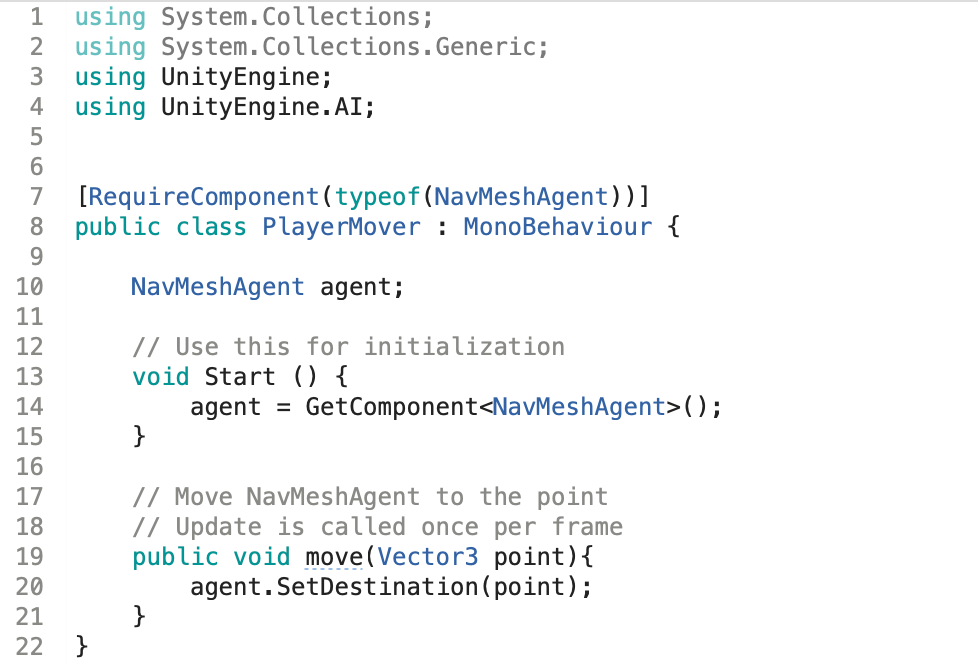
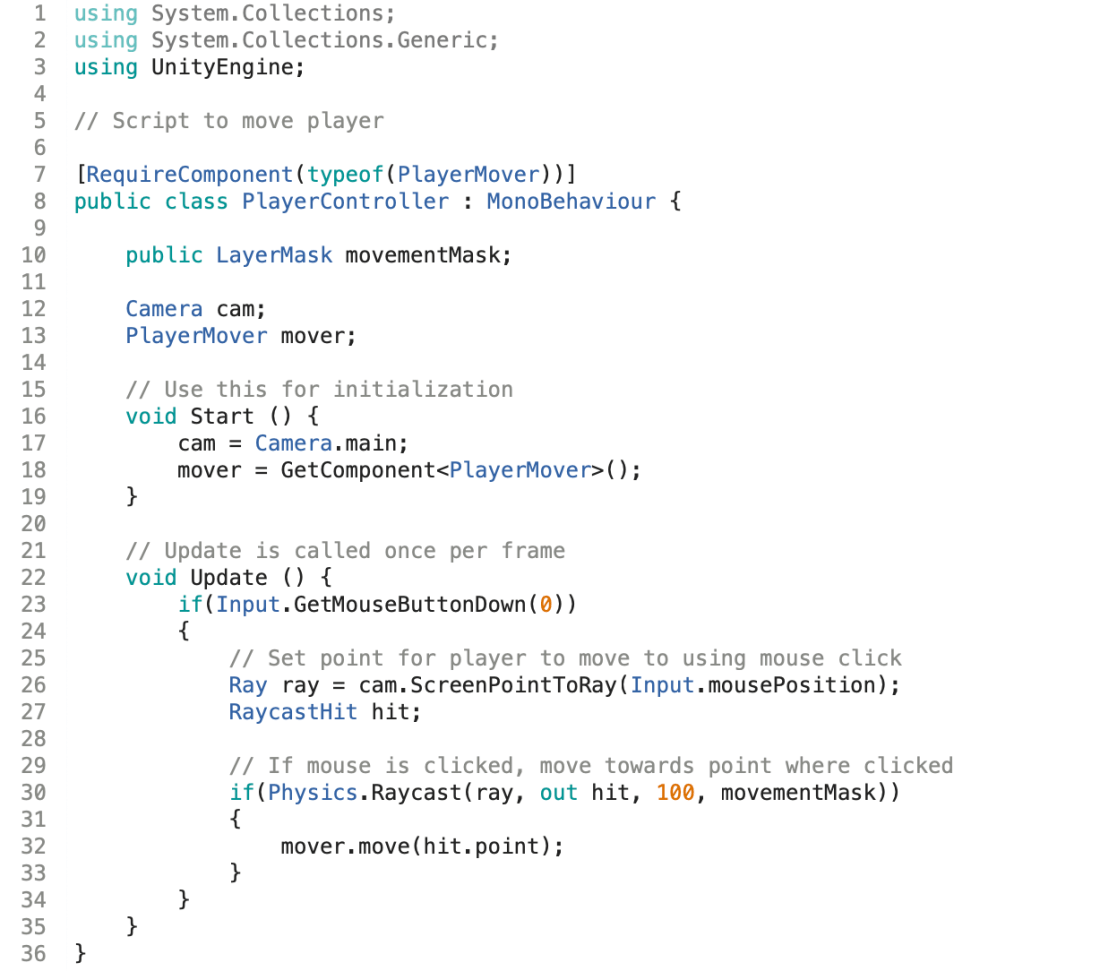
I created two C# scripts for my Player, a PlayerMover script and a PlayerController script. The player mover script creates the NavMeshAgent and moves the agent to the selected point. The Player controller script sets a raycast to set the point where the mouse is clicked.
PlayerMover script:
PlayerController script:
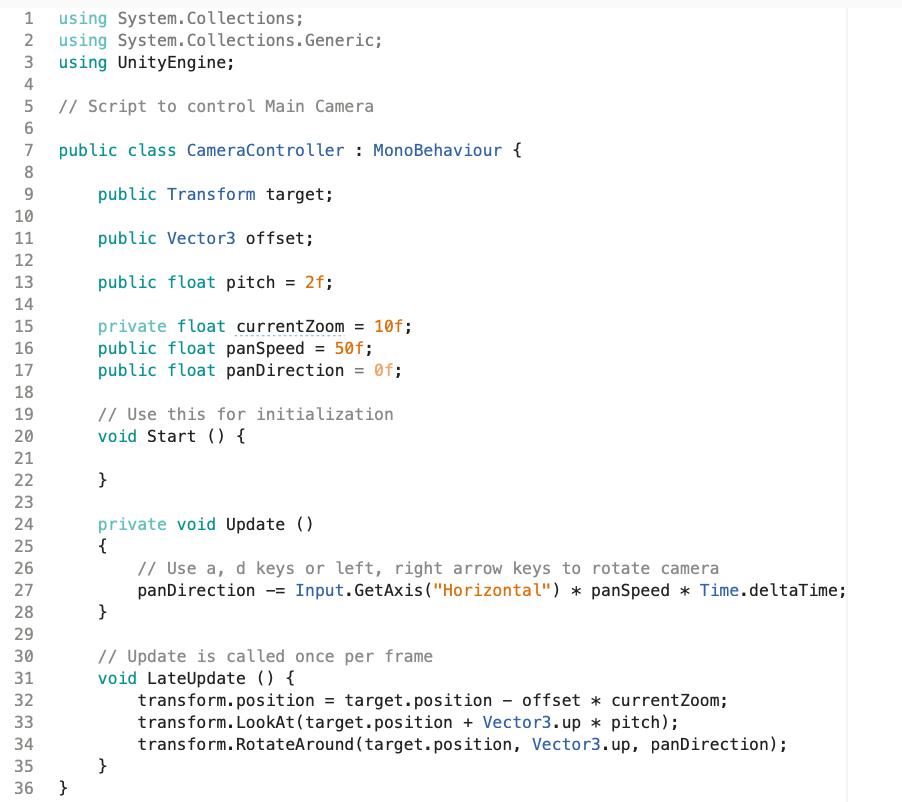
I have also created a C# script to control the camera:
[1] https://unity3d.com/learn/tutorials/s/roll-ball-tutorial
[2] https://www.youtube.com/watch?v=Au8oX5pu5u4&list=PLPV2KyIb3jR5QFsefuO2RlAgWEz6EvVi6&index=4

 Casey's AI for Games Blog